项目地址:https://gitee.com/zhongxianliang/mysql2ck
项目结构
 1
 2
 3
 4
 5
 6
 7
 8
 9
10
11
12
13
14
15
16
17
18
19
20
21
22
23
24
25
26
27
28
29
30
31
32
33
34
35
36
37
38
39
40
41
42
|
├─src
│  ├─main
│  │  ├─java
│  │  │  └─com
│  │  │      └─example
│  │  │          └─mysql2ck
│  │  │              │  Mysql2ckApplication.java
│  │  │              │
│  │  │              ├─buffer
│  │  │              │      BatchBuffer.java
│  │  │              │      BatchBufferManager.java
│  │  │              │      FlushStrategy.java
│  │  │              │
│  │  │              ├─common
│  │  │              │      Constants.java
│  │  │              │      Exception.java
│  │  │              │
│  │  │              ├─config
│  │  │              │      ClickHouseConfig.java
│  │  │              │      KafkaConfig.java
│  │  │              │      ThreadPoolConfig.java
│  │  │              │
│  │  │              ├─consumer
│  │  │              │      KafkaBinlogConsumer.java
│  │  │              │
│  │  │              ├─manager
│  │  │              │      RetryManager.java
│  │  │              │
│  │  │              ├─model
│  │  │              │      MaxwellMessage.java
│  │  │              │      SyncConfig.java
│  │  │              │      TableFilter.java
│  │  │              │
│  │  │              ├─processor
│  │  │              │      MessageProcessor.java
│  │  │              │
│  │  │              └─writer
│  │  │                      ClickHouseWriter.java
│  │  │                      SQLBuilder.java
│  │  │
│  │  └─resources
│  │          application.yml
|
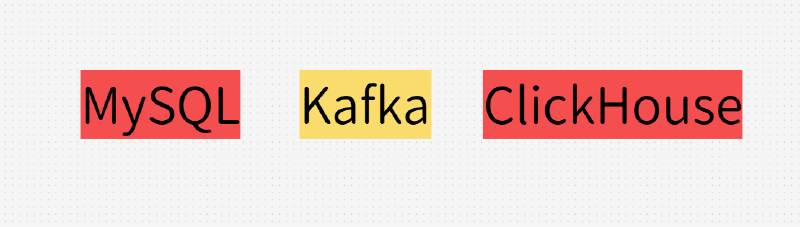
主要的流程是 MySQL→ Canal→Kafka→本系统→ClickHouse
一、配置内容
application.yml文件
 1
 2
 3
 4
 5
 6
 7
 8
 9
10
11
12
13
14
15
16
17
18
19
20
21
22
23
24
25
26
27
28
29
30
31
32
33
34
35
|
spring:
  kafka:
    bootstrap-servers: localhost:9092
    consumer:
      group-id: clickhouse-sync-group
      auto-offset-reset: latest
      enable-auto-commit: false
      max-poll-records: 500
      fetch-max-wait: 500
      fetch-min-size: 1
    listener:
      type: batch
      concurrency: 3
      ack-mode: manual

  clickhouse:
    url: jdbc:clickhouse://localhost:8123/default
    username: default
    password:
    driver-class-name: com.clickhouse.jdbc.ClickHouseDriver
    hikari:
      maximum-pool-size: 10
      minimum-idle: 5
      connection-timeout: 30000

sync:
  batch:
    size: 1000          # 批量大小
    timeout: 2000       # 超时时间(ms)
  tables:
    include: "user.*,order.*"  # 同步的表,支持正则
    exclude: "*.log_.*"        # 排除的表
server:
  port: 8080
|
ClickHouse的连接配置类
 1
 2
 3
 4
 5
 6
 7
 8
 9
10
11
12
13
14
15
16
17
18
19
20
21
22
23
24
25
26
27
28
29
30
31
32
33
34
|
@Configuration
public class ClickHouseConfig {

    @Value("${spring.clickhouse.url}")
    private String url;

    @Value("${spring.clickhouse.username}")
    private String username;

    @Value("${spring.clickhouse.password}")
    private String password;

    @Bean
    public DataSource clickHouseDataSource() {
        HikariConfig config = new HikariConfig();
        config.setJdbcUrl(url);
        config.setUsername(username);
        config.setPassword(password);
        config.setDriverClassName("com.clickhouse.jdbc.ClickHouseDriver");
        config.setMaximumPoolSize(20);
        config.setMinimumIdle(5);
        config.setConnectionTimeout(30000);
        config.setIdleTimeout(600000);
        config.setMaxLifetime(1800000);
        config.addDataSourceProperty("socket_timeout", "300000");
        config.addDataSourceProperty("keepAliveTimeout", "60");
        return new HikariDataSource(config);
    }

    @Bean
    public JdbcTemplate clickHouseJdbcTemplate() {
        return new JdbcTemplate(clickHouseDataSource());
    }
}
|
Kafka 的配置类,主要设置了Kafka的提交模式和拉取数量
 1
 2
 3
 4
 5
 6
 7
 8
 9
10
11
12
13
14
15
16
17
18
19
20
21
22
23
24
25
26
27
28
29
30
31
32
33
34
35
36
37
38
39
40
41
42
43
44
45
46
47
48
49
|
@Configuration
@EnableKafka
public class KafkaConfig {

    @Value("${spring.kafka.bootstrap-servers}")
    private String bootstrapServers;

    @Value("${spring.kafka.consumer.group-id}")
    private String groupId;

    /**
     * 批量消费工厂
     */
    @Bean
    public ConcurrentKafkaListenerContainerFactory<String, String> batchContainerFactory() {
        ConcurrentKafkaListenerContainerFactory<String, String> factory =
                new ConcurrentKafkaListenerContainerFactory<>();
        factory.setConsumerFactory(consumerFactory());
        factory.setBatchListener(true);
        factory.setConcurrency(3);

        // 批量消费配置
        ContainerProperties containerProperties = factory.getContainerProperties();
        containerProperties.setAckMode(ContainerProperties.AckMode.MANUAL_IMMEDIATE);
        containerProperties.setPollTimeout(3000);

        return factory;
    }

    @Bean
    public ConsumerFactory<String, String> consumerFactory() {
        Map<String, Object> props = new HashMap<>();
        props.put(ConsumerConfig.BOOTSTRAP_SERVERS_CONFIG, bootstrapServers);
        props.put(ConsumerConfig.GROUP_ID_CONFIG, groupId);
        props.put(ConsumerConfig.KEY_DESERIALIZER_CLASS_CONFIG,
                StringDeserializer.class);
        props.put(ConsumerConfig.VALUE_DESERIALIZER_CLASS_CONFIG,
                StringDeserializer.class);
        // 每次最大拉取数
        props.put(ConsumerConfig.MAX_POLL_RECORDS_CONFIG, 500);
        props.put(ConsumerConfig.FETCH_MAX_WAIT_MS_CONFIG, 500);
        // 1MB
        props.put(ConsumerConfig.FETCH_MIN_BYTES_CONFIG, 1024 * 1024);
        // 手动提交
        props.put(ConsumerConfig.ENABLE_AUTO_COMMIT_CONFIG, false);

        return new DefaultKafkaConsumerFactory<>(props);
    }
}
|
线程池配置类,负责将消息分发到缓冲区中,考虑到ClickHouse写入压力和资源压力,以及数据同步数据量,设置了核心线程数5,最大线程10,队列长度为1000
 1
 2
 3
 4
 5
 6
 7
 8
 9
10
11
12
13
14
15
16
|
@Configuration
@EnableAsync
@EnableScheduling
public class ThreadPoolConfig {
    @Bean("processExecutor")
    public ThreadPoolTaskExecutor processExecutor() {
        ThreadPoolTaskExecutor executor = new ThreadPoolTaskExecutor();
        executor.setCorePoolSize(5);
        executor.setMaxPoolSize(10);
        executor.setQueueCapacity(1000);
        executor.setThreadNamePrefix("process-");
        executor.setRejectedExecutionHandler(new ThreadPoolExecutor.CallerRunsPolicy());
        executor.initialize();
        return executor;
    }
}
|
二、关键内容
监听方法
首先将拉取的信息解析成Maxwell对象,然后根据表名进行分组,以每个表的维度自己执行自己的
 1
 2
 3
 4
 5
 6
 7
 8
 9
10
11
12
13
14
15
16
17
18
19
20
21
22
23
24
25
26
27
28
|
@KafkaListener(
            topics = "${kafka.topic.binlog}",
            containerFactory = "batchContainerFactory",
            concurrency = "${kafka.consumer.concurrency:3}"
    )
    public void consume(List<ConsumerRecord<String, String>> records) {
        if (records.isEmpty()) {
            return;
        }
        // 按表分组处理,避免不同表互相影响
        Map<String, List<MaxwellMessage>> tableMessages = new HashMap<>();

        for (ConsumerRecord<String, String> record : records) {
            try {
                MaxwellMessage message = parseMessage(record.value());
                tableMessages
                        .computeIfAbsent(message.getTableKey(), k -> new ArrayList<>())
                        .add(message);
            } catch (Exception e) {
                log.error("Parse message failed, offset: {}", record.offset(), e);
            }
        }

        // 按表并行处理
        tableMessages.forEach((tableKey, messages) -> {
            messageProcessor.processBatch(tableKey, messages);
        });
    }
|
多线程处理数据
启用线程来处理数据,将数据加入到自定义的缓冲区内,并且记录失败的消息
 1
 2
 3
 4
 5
 6
 7
 8
 9
10
11
12
13
14
15
16
17
18
19
20
21
22
23
24
25
26
27
28
29
30
31
32
33
34
35
36
37
38
39
|
@Async("processExecutor")
public void processBatch(String tableKey, List<MaxwellMessage> messages) {
    if (messages.isEmpty()) {
        return;
    }

    if (!tableFilter.needSync(tableKey)) {
        log.debug("Table {} is filtered, skip {} messages",
                tableKey, messages.size());
        return;
    }

    for (MaxwellMessage message : messages) {
        try {

            validateMessage(message);
            normalizeData(message);
            bufferManager.addMessage(tableKey, message);

        } catch (Exception e) {
            log.error("Process message failed: {}", message, e);
            // 记录失败消息
            retryManager.retryImmediately(message, e);
        }
    }
}
	@Scheduled(fixedRate = 1000)
    public void flushTimeoutBuffers() {
        long now = System.currentTimeMillis();

        buffers.entrySet().removeIf(entry -> {
            BatchBuffer buffer = entry.getValue();
            if (buffer.isTimeout(now) && !buffer.isEmpty()) {
                flushBuffer(entry.getKey(), buffer);
                return true; // 移除并创建新的
            }
            return false;
        });
    }
|
自定义缓冲区
设置了大小和刷新时间
 1
 2
 3
 4
 5
 6
 7
 8
 9
10
11
12
13
14
15
16
17
18
19
20
21
22
23
24
25
26
27
28
29
30
31
32
33
34
35
36
|
@Data
public class BatchBuffer {
    private final List<MaxwellMessage> messages = new ArrayList<>();
    private final int maxSize;
    private final long timeout;
    private long lastFlushTime;

    public BatchBuffer(int maxSize, long timeout) {
        this.maxSize = maxSize;
        this.timeout = timeout;
        this.lastFlushTime = System.currentTimeMillis();
    }

    public synchronized void add(MaxwellMessage message) {
        messages.add(message);
    }

    public synchronized boolean shouldFlush() {
        return messages.size() >= maxSize || isTimeout(System.currentTimeMillis());
    }

    public synchronized boolean isTimeout(long currentTime) {
        return currentTime - lastFlushTime > timeout;
    }

    public synchronized List<MaxwellMessage> getAndClear() {
        List<MaxwellMessage> copy = new ArrayList<>(messages);
        messages.clear();
        lastFlushTime = System.currentTimeMillis();
        return copy;
    }

    public synchronized boolean isEmpty() {
        return messages.isEmpty();
    }
}
|
重试策略
 1
 2
 3
 4
 5
 6
 7
 8
 9
10
11
12
13
14
15
16
17
18
19
20
21
22
|
public void retryImmediately(MaxwellMessage message, Exception error) {
    String key = getMessageKey(message);

    if (retryCountMap.getOrDefault(key, 0) >= MAX_RETRY_COUNT) {
        sendToDeadLetterQueue(message, error);
        return;
    }
    try {
        Thread.sleep(100);
        bufferManager.addMessage(getTableKey(message), message);
        retryCountMap.remove(key);
        log.info("Immediate retry success: {}", key);
    } catch (Exception e) {
        int count = retryCountMap.getOrDefault(key, 0) + 1;
        retryCountMap.put(key, count);
        if (count >= MAX_RETRY_COUNT) {
            sendToDeadLetterQueue(message, e);
        } else {
            addToDelayRetryQueue(message, e);
        }
    }
}
|